






01
Restaurant visibility
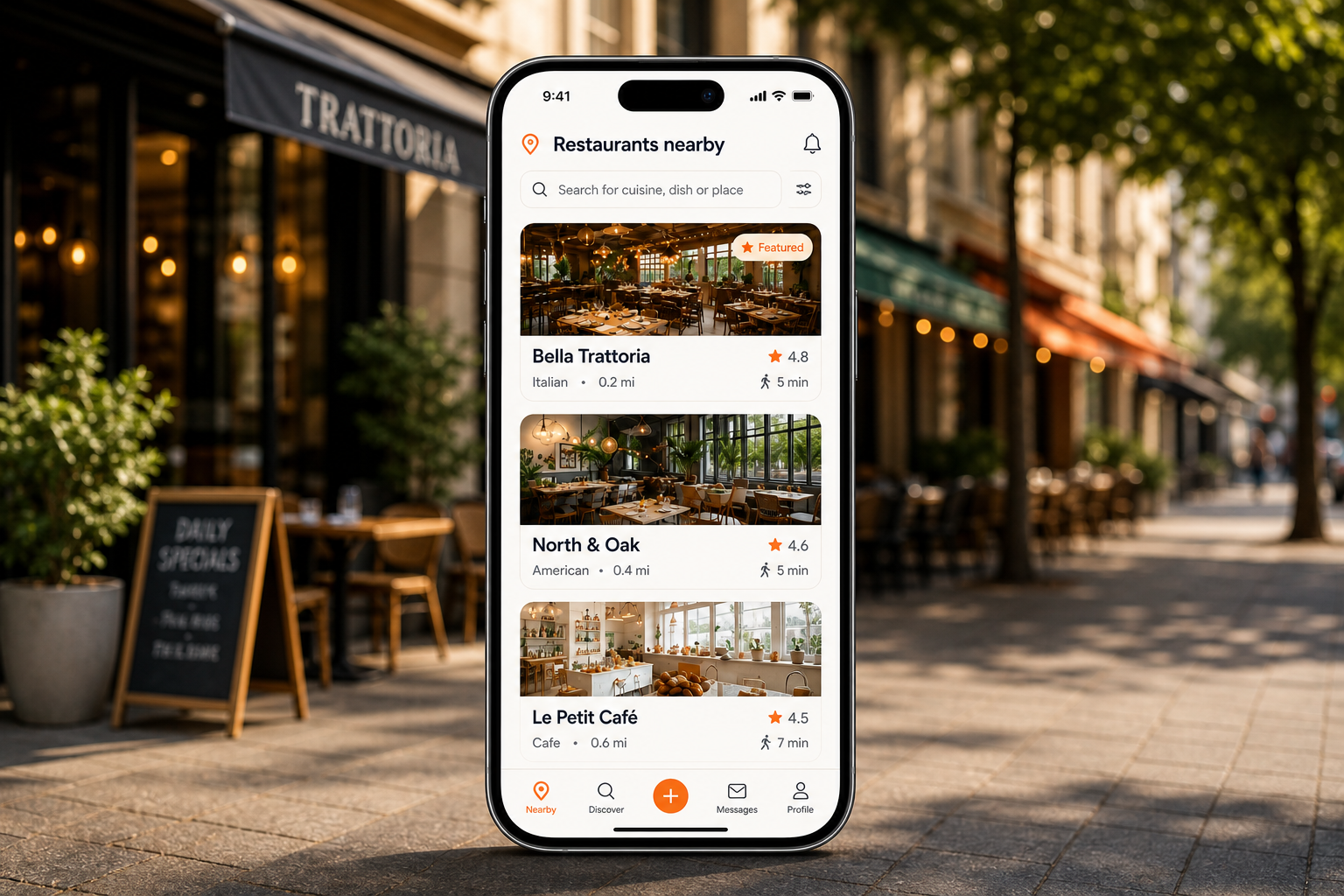
Make your restaurant easier to find nearby, easier to engage with, and easier to choose.
Restaurant operating system
Orders, payments, reservations, and guest relationships - all connected in real time.
Set it up yourself or let us guide you through it.
Restaurant ecosystem
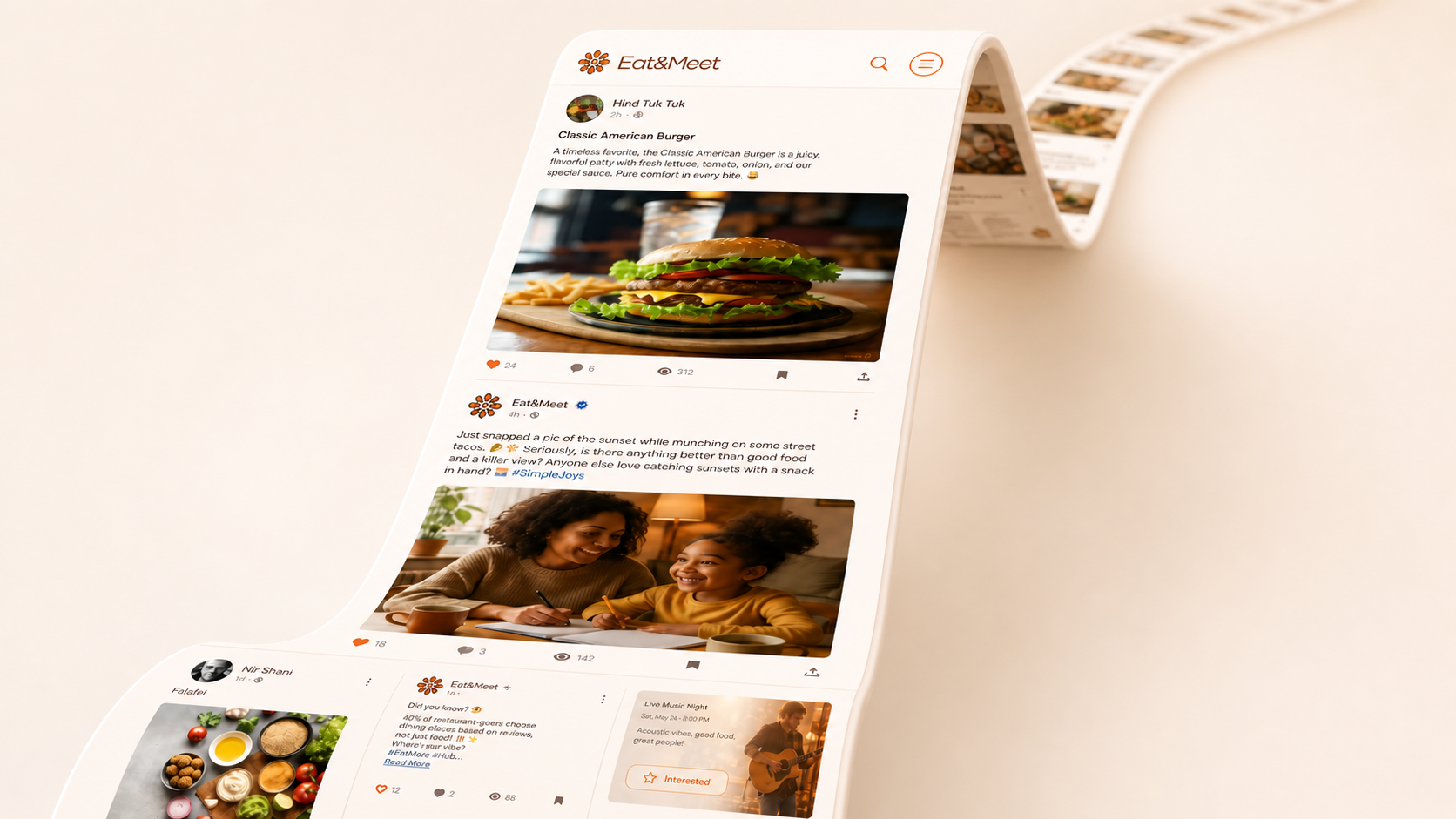
Guests discover your restaurant, offers, events, and menu in their feed. Eat&Meet turns that interest into reservations, orders, payments, campaigns, and smoother service.
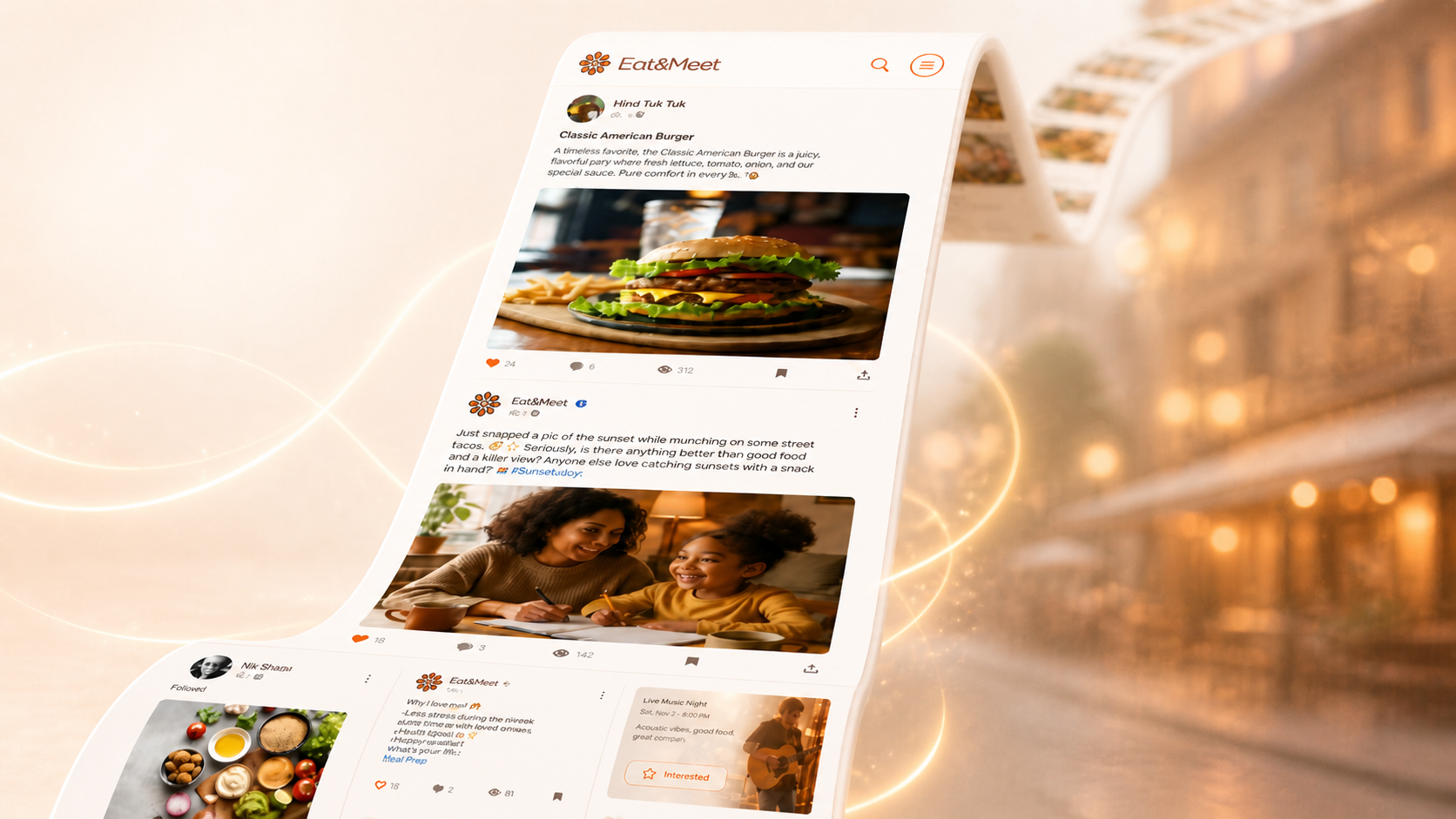
The operating gap
Most restaurant tools handle one task. The problems start when orders, payments, reservations, guest data, and follow-up do not stay connected.
Teams lose time checking orders, bills, tips, and payment status across separate tools.
Servers repeat order details, check table status by hand, and switch between tools during rush hours.
Bookings, available tables, and table readiness are hard to coordinate when reservations are not connected to live service.
Preferences, history, and return opportunities are hard to use when the guest profile is disconnected.
Campaigns perform better when they are tied to visits, orders, preferences, and the moments guests actually care about.
One connected system
See the key parts of your restaurant in one place: guests, orders, tables, payments, campaigns, events, and decisions.
Restaurant OS
Guests scan, join, and access the menu instantly.
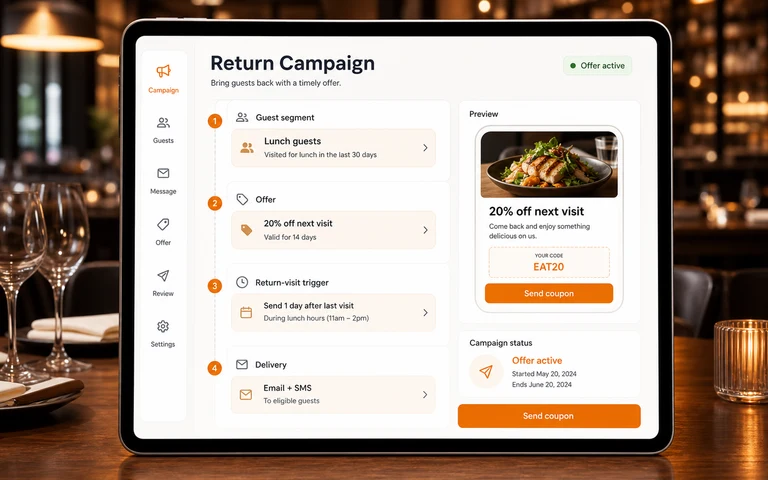
Run targeted campaigns via email, SMS, and ads.
Manage bookings, tables, and availability in real time.
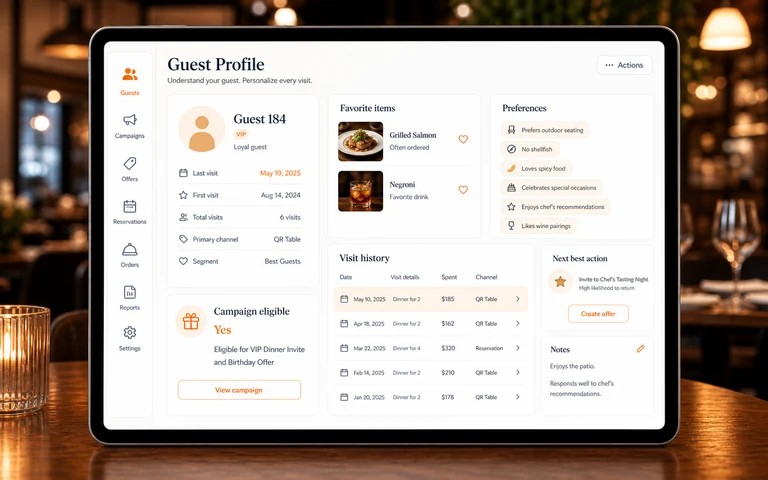
Profiles, preferences, visit history, and personalized engagement.
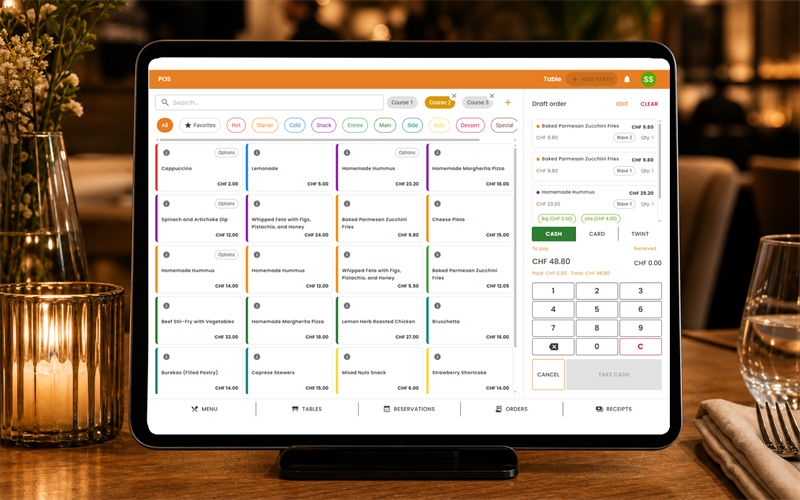
Orders, modifiers, tickets, and service flow.
Secure payments, split bills, tips, and reconciliation.
Operational signals and reports to make smarter decisions.
Host private dining, groups, and special occasions.
Create, manage, and redeem offers that drive visits.
Guests scan, join, and access the menu instantly.
Run targeted campaigns via email, SMS, and ads.
Manage bookings, tables, and availability in real time.
Profiles, preferences, visit history, and personalized engagement.
Orders, modifiers, tickets, and service flow.
Secure payments, split bills, tips, and reconciliation.
Operational signals and reports to make smarter decisions.
Host private dining, groups, and special occasions.
Create, manage, and redeem offers that drive visits.
Product capabilities
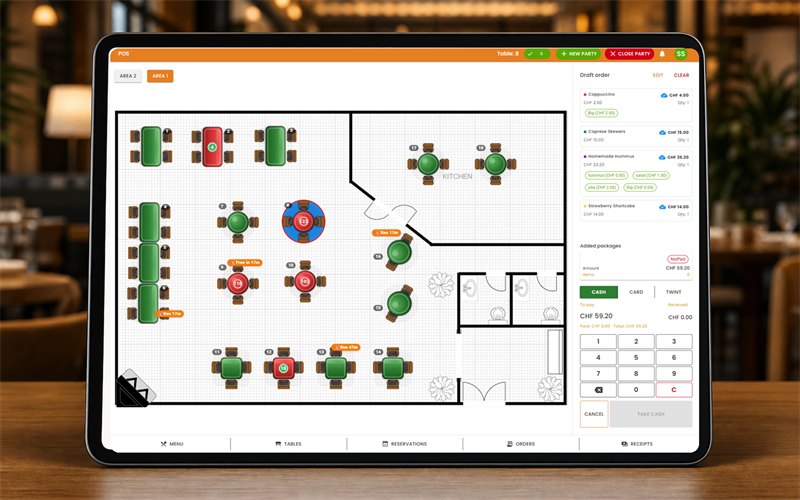
See table status, active orders, open requests, and payment progress from one live view.
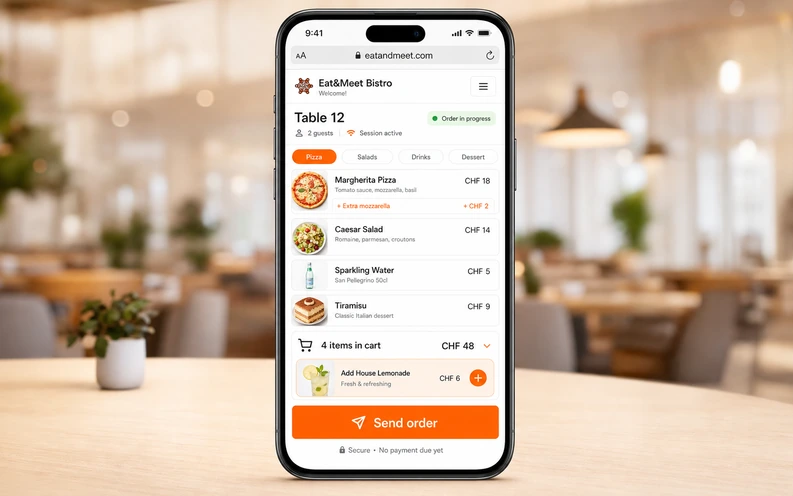
Guests open the menu from a QR code, build their order, request service, and pay from their phone.
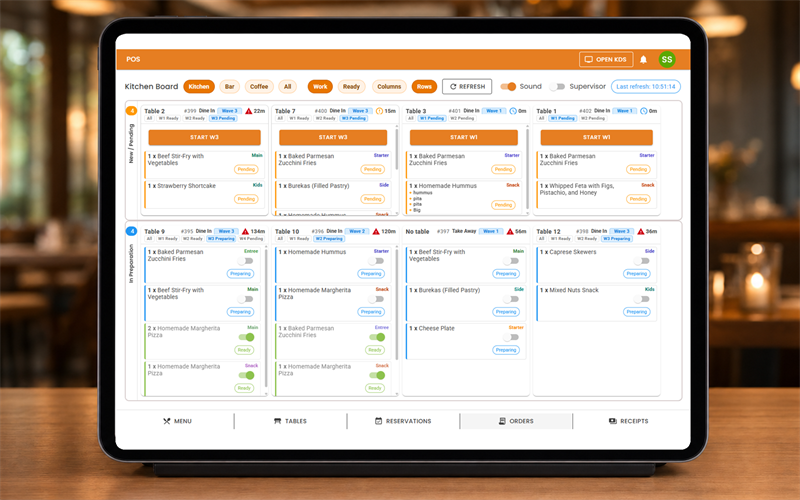
Staff see table needs, orders in preparation, ready items, and where attention is needed next.
Support split bills, tips, payment status, and reconciliation so the end of the meal does not slow service down.
Build guest profiles from visits, preferences, order behavior, and the offers each guest should receive.
Create coupons, campaigns, and return triggers connected to real visits, orders, and guest behavior.
Guest engagement
Keep your restaurant, menu, offers, events, and campaigns visible across the guest journey.
Keep guest interaction connected to your restaurant, menu, offers, events, and reservations.
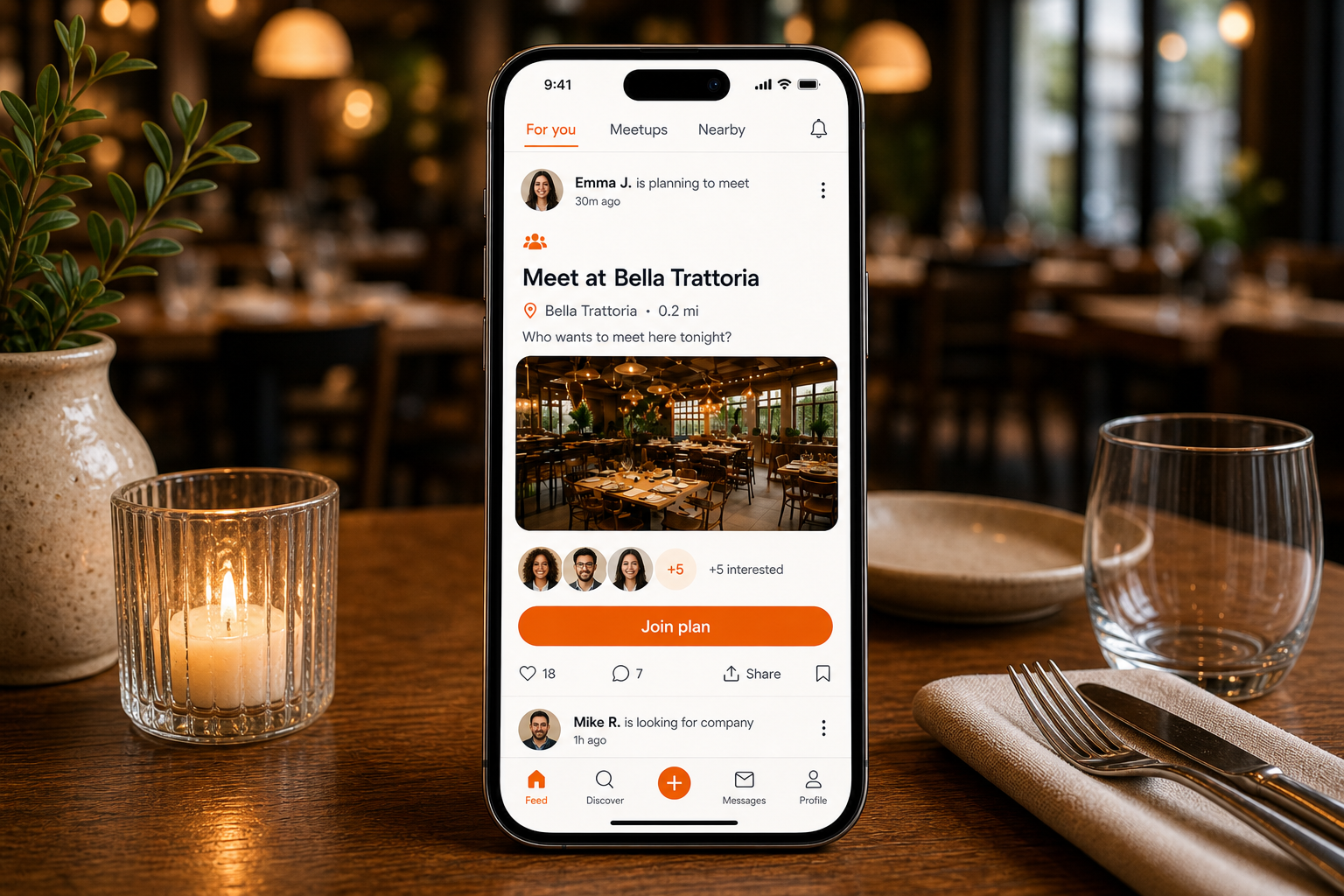
Turn your restaurant into a meeting point where guests create meetups, group plans, and social dining moments.
Bring guests back through shared events that give them a real reason to return sooner.
01
Make your restaurant easier to find nearby, easier to engage with, and easier to choose.
02
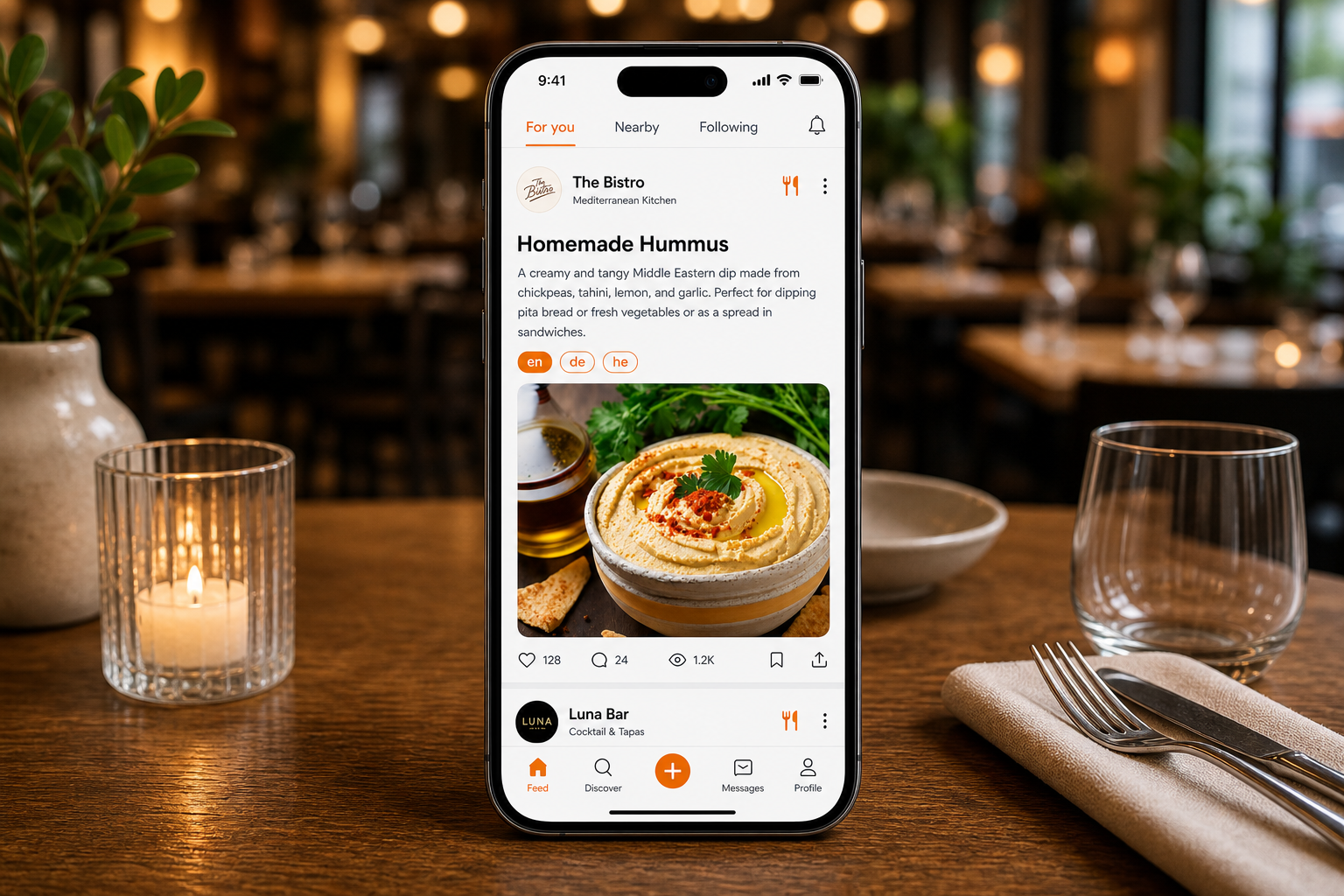
Show your menu in the feed so guests decide what they want to eat before choosing where to go.
03
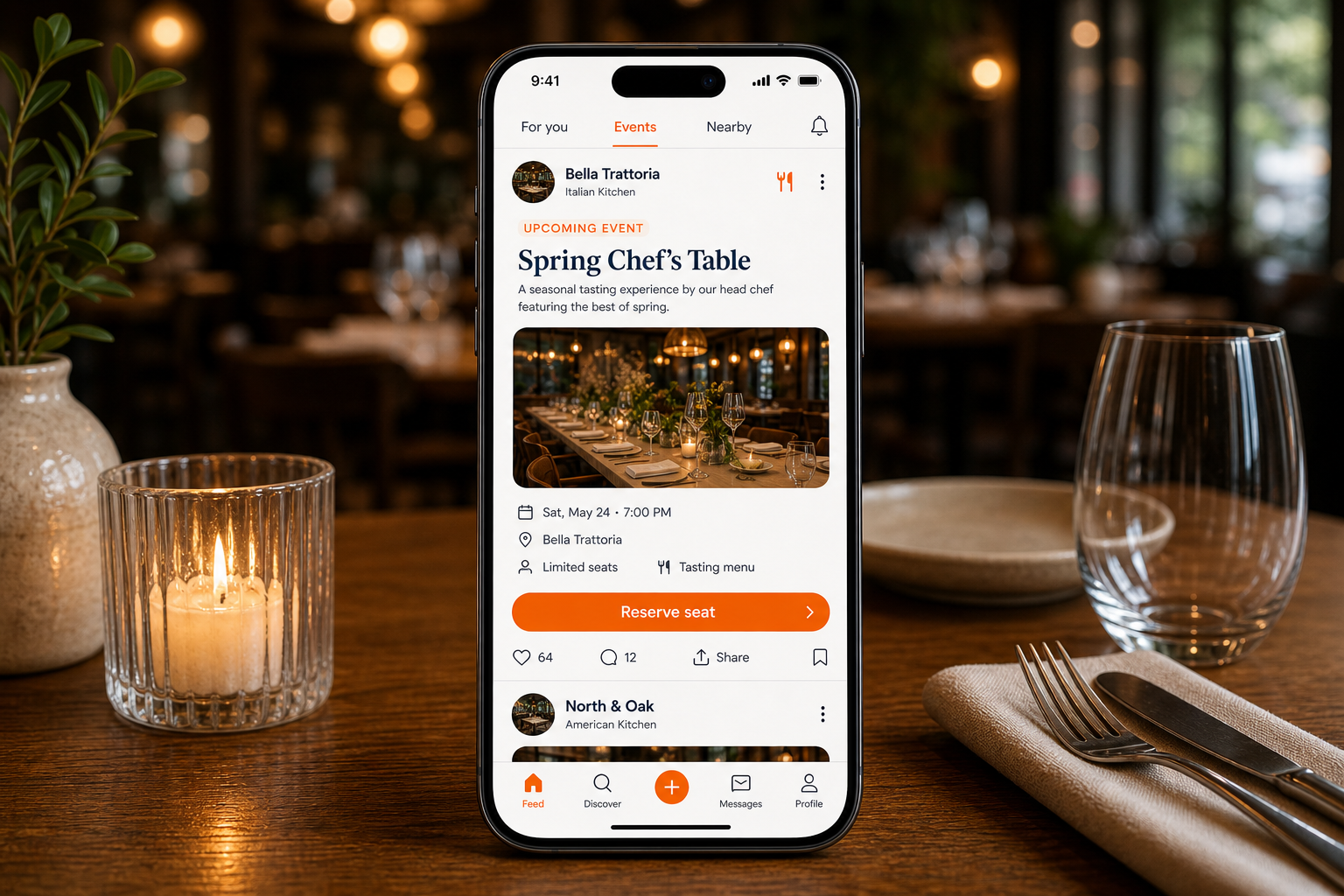
Host tastings, special nights, group tables, and themed dinners that guests can find and join from the feed.
04
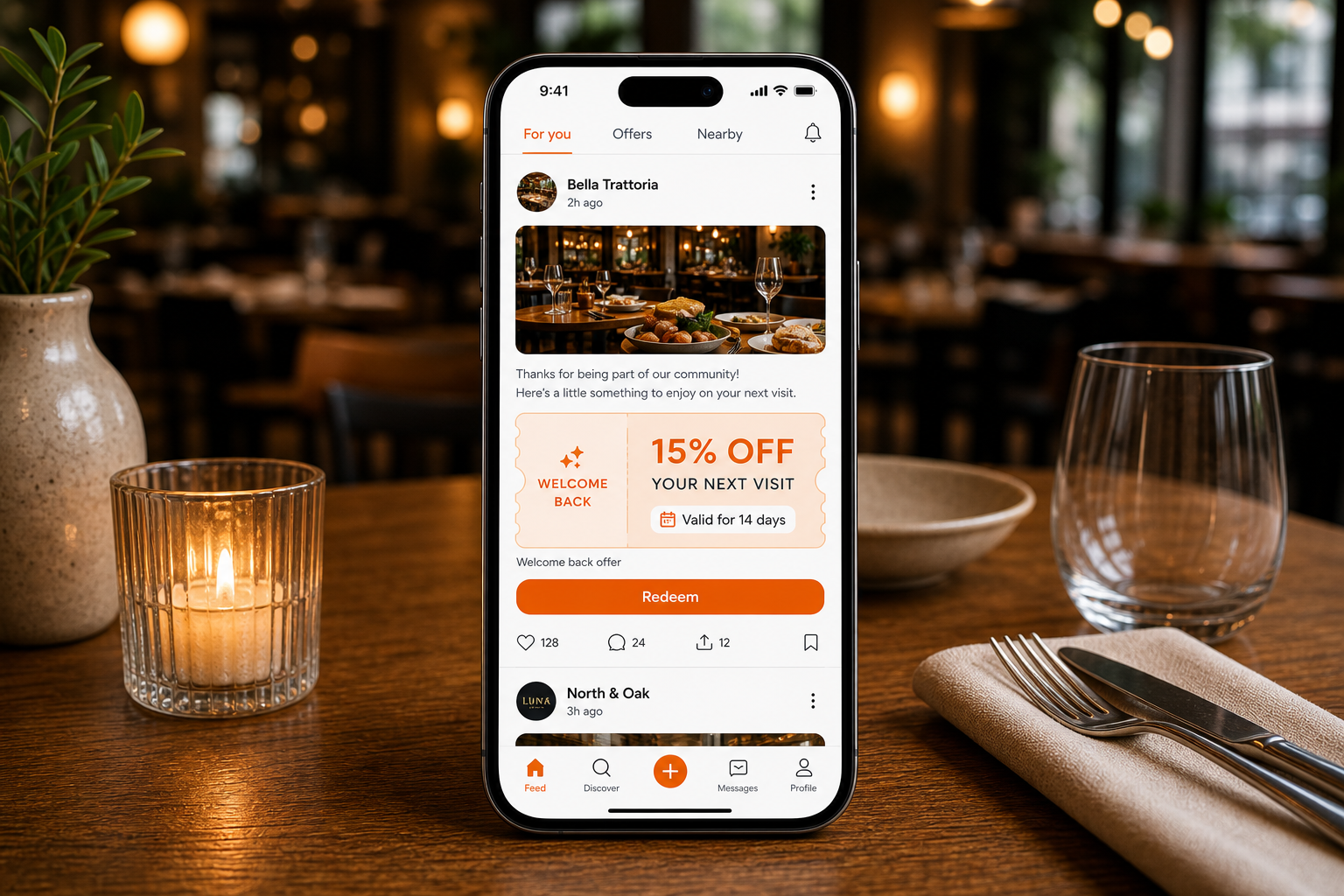
Turn coupons and benefits into simple reasons for guests to come back.
05
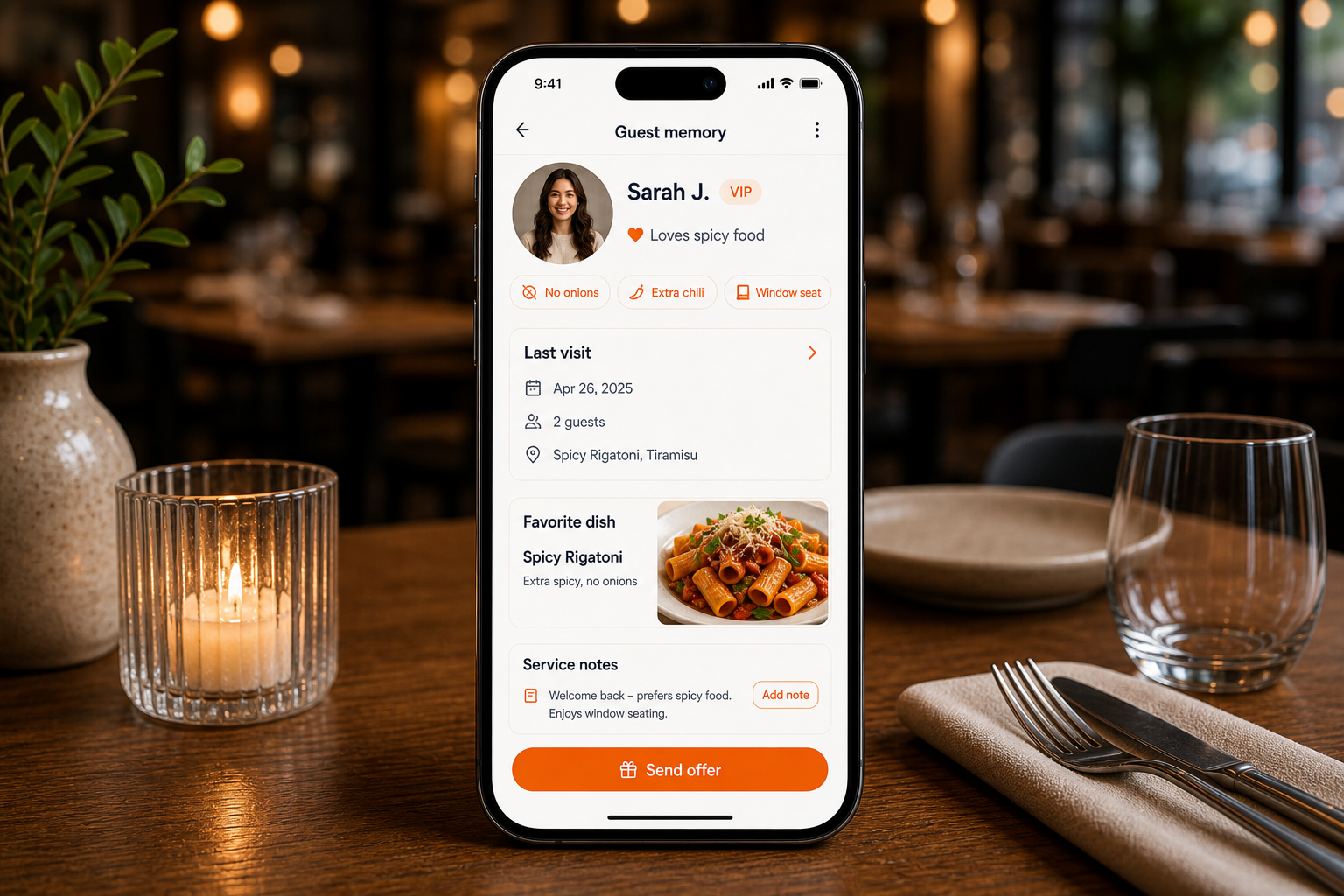
Turn every visit into guest memory your restaurant can use for better service, loyalty, and direct contact.
06
Create feed campaigns based on guest memory, so the right guests see the right offer to come back.
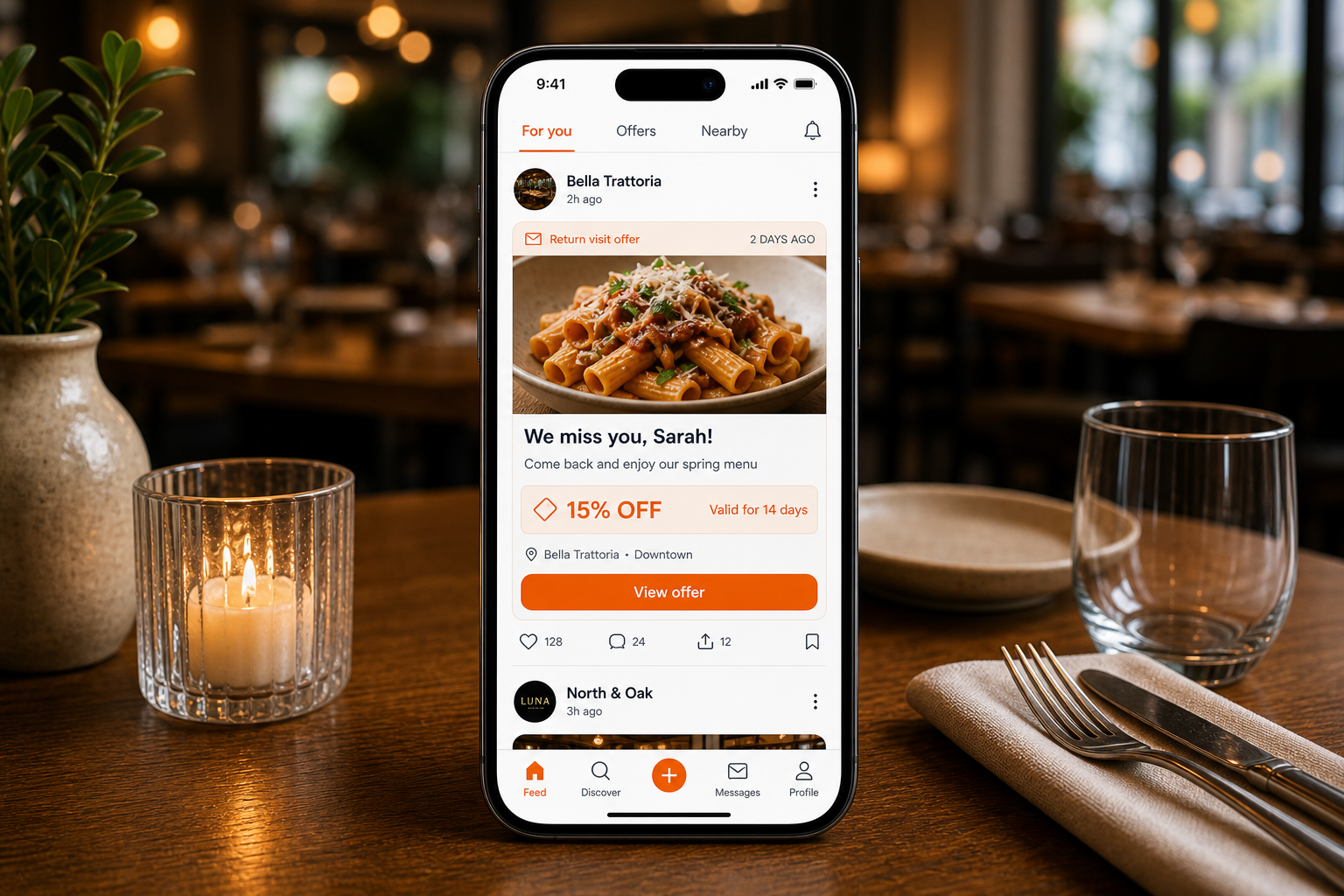
07
Make your restaurant a place guests choose when they plan where to meet.
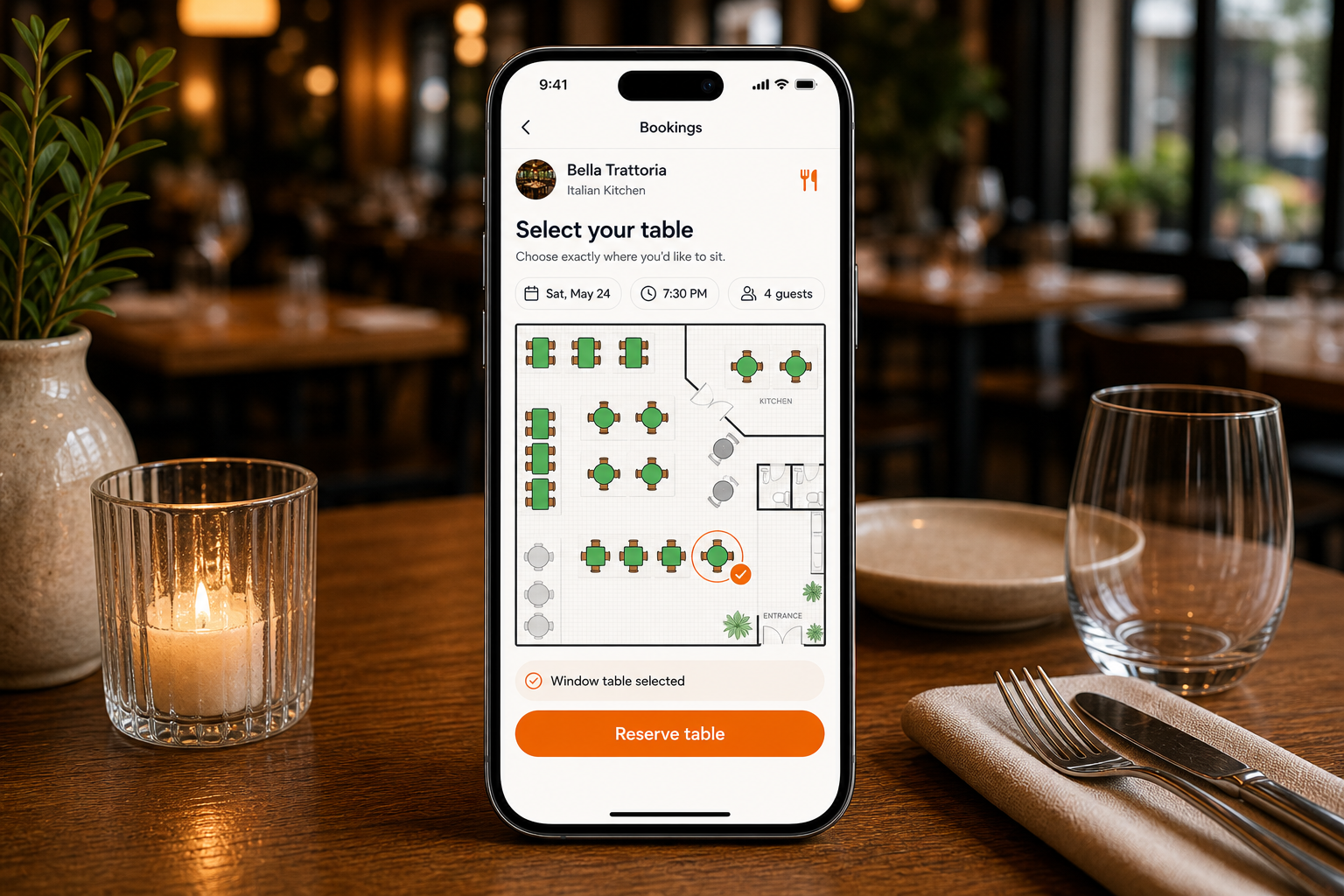
08
Guests select where they want to sit.
How it works
Turn bookings, events, orders, and payments into one simple service flow.
Reservations show up in the floor plan in real time.
Table reserved
Tonight, 19:30
Party
4 guests
Table
12 ready
Need
Arrival due
Create dinners, tastings, or group events in a few simple steps.
Event filling
Chef table, Friday
Seats
8 of 12
Guest
2 pending
Need
Confirm spots
Guests act independently while staff keeps full table visibility.
Order active
Table 12
Cart
3 items
Kitchen
Preparing
Need
Payment open
Business impact
Operating principles
Table status, orders, payments, and guest requests stay visible while the room is moving.
Ordering, reservations, CRM, offers, and campaigns work from the same restaurant context.
Eat&Meet is built to surface live needs first, then turn real service moments into repeat visits.
Plans
Choose the level that fits your venue today - from visibility, to operations, to guest growth. We'll help define a setup that fits your current workflows.
Pricing depends on venue size, modules, onboarding needs, and number of locations.
Pricing depends on venue size, modules, onboarding needs, and number of locations.
Pricing depends on venue size, modules, onboarding needs, and number of locations.
Pricing depends on venue size, modules, onboarding needs, and number of locations.
How Restaurants Get Started
Create your account, open your restaurant / POI from Settings, configure the modules you need, and launch with optional guidance from our team.
Register as an Eat&Meet user and access your workspace.
Create your restaurant profile from Settings and stay in control of the modules you want to activate.
Set up menus, tables, QR ordering, staff access, reservations, CRM, campaigns, and guest experiences around your current service flow.
Finalize your setup, connect your payment flow when ready, and start operating with your team.
Need help getting started? Our team can guide setup without forcing a full workflow change on day one.
Ready to launch
Start on your own or book a demo and we'll help you choose the right Restaurant OS setup.
Questions
No. Eat&Meet is designed as an operating layer that can work alongside existing POS workflows, so teams can adopt the modules that fit their service model.
You can start with the restaurant profile and selected modules first, then add ordering, payments, CRM, and campaigns as your team is ready.
No. Guests scan a QR code and use a mobile web experience for menu browsing, ordering, offers, and payment.
Yes. Staff views are built for common restaurant devices, including phones, tablets, and larger manager screens, so teams can use familiar hardware.
Yes. Your team controls the restaurant profile, active modules, menus, offers, campaigns, staff access, and launch pace.
Payments can be connected when your operating setup is ready. The page stays provider-neutral and avoids locking you into a public provider claim.
Yes. Campaigns can use visit behavior, preferences, and segments so offers are more relevant.
Yes. The Enterprise plan is intended for operators that need group-level campaigns, reporting, onboarding, and multi-location controls.
Request a demo
Tell us a little about your restaurant and we'll get back to you with the next available demo options.